6 smart ways to make the best use of your laptops
laptops

6 smart ways to make the best use of your laptops

In this digital era, laptops are considered alternatives to computers in most sectors. Today, laptops are widely used for official and personal purposes like gaming, entertainment, and maintaining confidential data. However, unbeknownst to many, there are some less-tried, innovative ways in which your laptop helps you complete routine tasks and enhance daily productivity. Check out a few features below so that you can make the best use of your laptop. Multiple desktops Setting up multiple desktops on one system enables users to multitask efficiently, particularly on busy workdays. Select the “New Desktop” option in Task View on the taskbar to enable multiple desktops. This feature activates several desktops and allows for performing multiple tasks simultaneously. Microsoft Wildcards If you use Microsoft Word often, Wildcards is your best bet to make your work processes incredibly efficient. Wildcards enable you to find and replace specific word instances and increase productivity to a great extent. You may activate Wildcards on MS Word by opening advanced find and replace and checking the box against “Use Wildcards.” You can create wildcard strings and search through even the lengthiest documents effortlessly. For example, the string “ba*” finds all words beginning with “ba,” such as “bat,” “bakery,” and “bassinet.” Keyboard shortcuts Keyboard shortcuts are your go-to solutions on those hectic days when you need to work at lightning speed to meet tight deadlines.
Read More

5 accounting software failures that lead to business risks

5 accounting software failures that lead to business risks

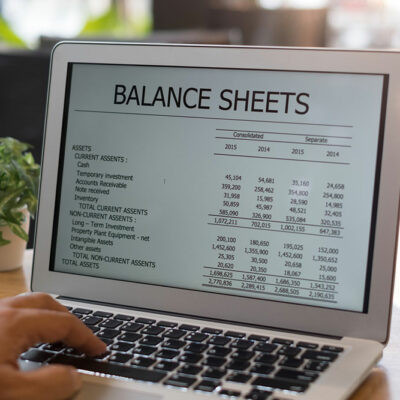
Accounting is a crucial process for businesses of all sizes, and it requires a high level of precision and accuracy. Therefore, many organizations are now using accounting software to minimize the risk of human errors. However, mistakes are often encountered despite using automated software. Even a minor error can lead to significant problems for the business. Therefore, it’s important to be aware of the potential failures of accounting software, which can ultimately lead to business risks. What is the function of an accounting software? Before getting into different issues encountered with accounting software, it is crucial to understand the ways in which it can benefit an organization. Generally, an organization uses accounting software for the following purposes: Automation of financial process Quick access to critical information Efficient workflow when a large amount of data is involved Accurate calculations and precise processing of operations Challenges involved in the development of accounting software Accounting software can be a useful tool for businesses and professionals to keep track of sales, profits, cash flow, cash reserves, loan allocations, and billing information. This is often sufficient for small businesses. However, larger businesses may require more advanced accounting software that has the capability of generating balance sheets, bank balances, and the value of creditors, debtors, and assets.
Read More